
CLOUD 9 LIGHTING CO
Your lights in 10 easy steps
Set up your ASAHOM lights on your phone
⏱ About 5 minutes📲 Get the app
Open the App Store or Google Play. Search ASAHOM. Tap Get or Install. Then make an account with your email.
📶 Get your phone ready
Turn on Wi-Fi and Bluetooth. Use your normal Wi-Fi, not the one that ends in “5G”.
➕ Add your lights
Open the app and tap the + button. It finds your lights. Type your Wi-Fi password. Done!
Stand near the lights. If it says “Connecting via Bluetooth”, just wait a few seconds.
💡 Turn them on
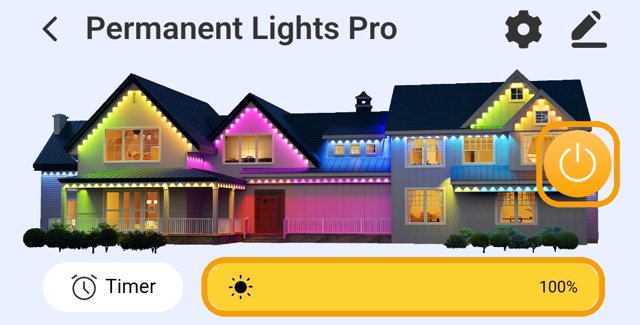
Tap the round power button. Slide the yellow bar to make them brighter or softer.
🎨 Pick a look
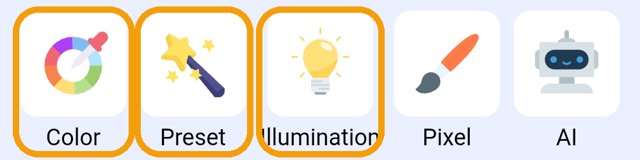
Illumination = everyday white. Color = one colour. Preset = fun holiday scenes.
⏰ Add a timer
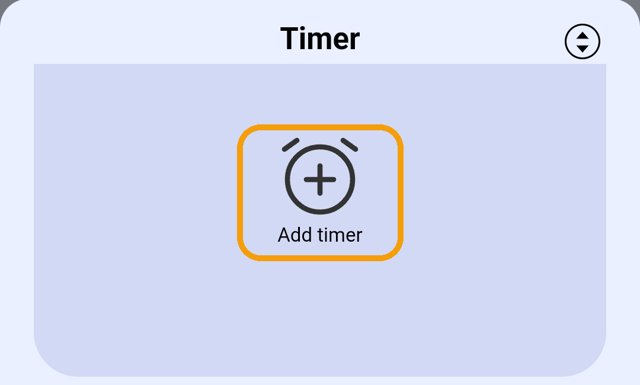
Your lights can turn on and off by themselves every night. Tap Timer, then tap Add timer.

📅 Pick the days
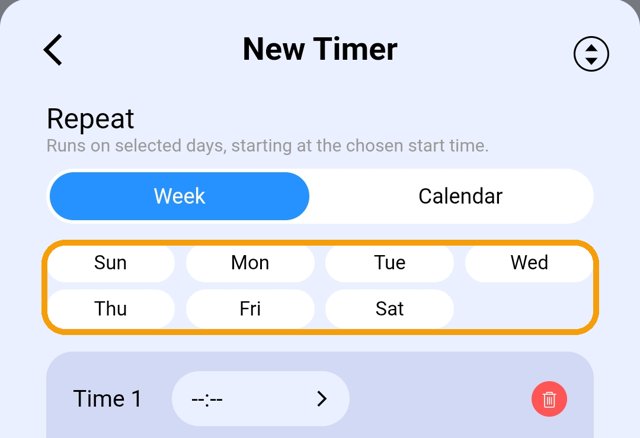
Tap every day, Sun to Sat.
🌙 Pick the “on” time
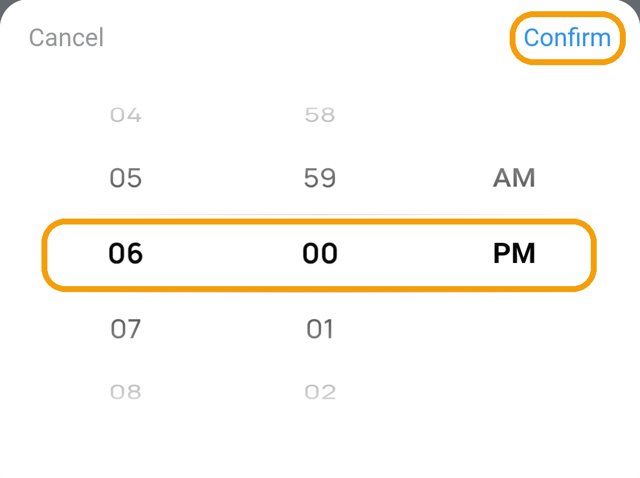
Scroll to 6 : 00 PM. Tap Confirm.
✅ On, then off
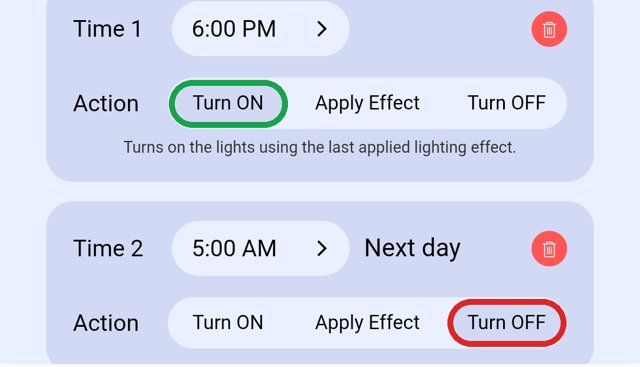
Time 1 → Turn ON. Time 2 → your bedtime → Turn OFF. Scroll down and save.
🚫 Don’t touch
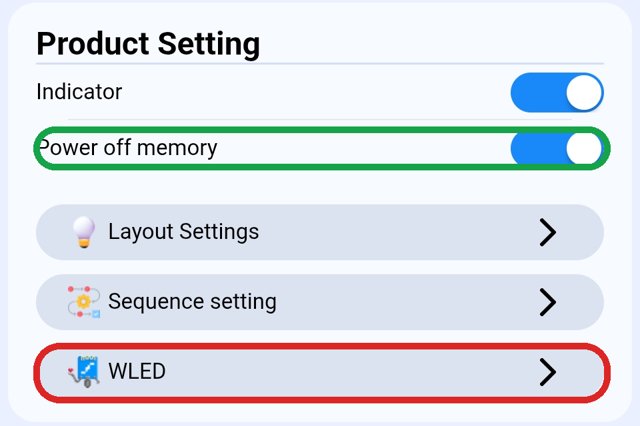
In ⚙️ Settings, keep Power off memory ON. Never tap WLED. We set everything else for you.
🎉 Fun extras
Optional. Play with these whenever you like.
- 🖌 Pixel: colour each light one by one, like a red-and-white candy cane.
- 🤖 AI: type the look you want, like “Christmas red and green twinkle”, and the app makes it for you.
- 🎵 Audio RX: your lights dance to music.
- ❤️ Favorite: save a look you love, so it’s one tap next time.
Need a hand?
Call or text Matt. We’re happy to help.
📞 Call💬 Text